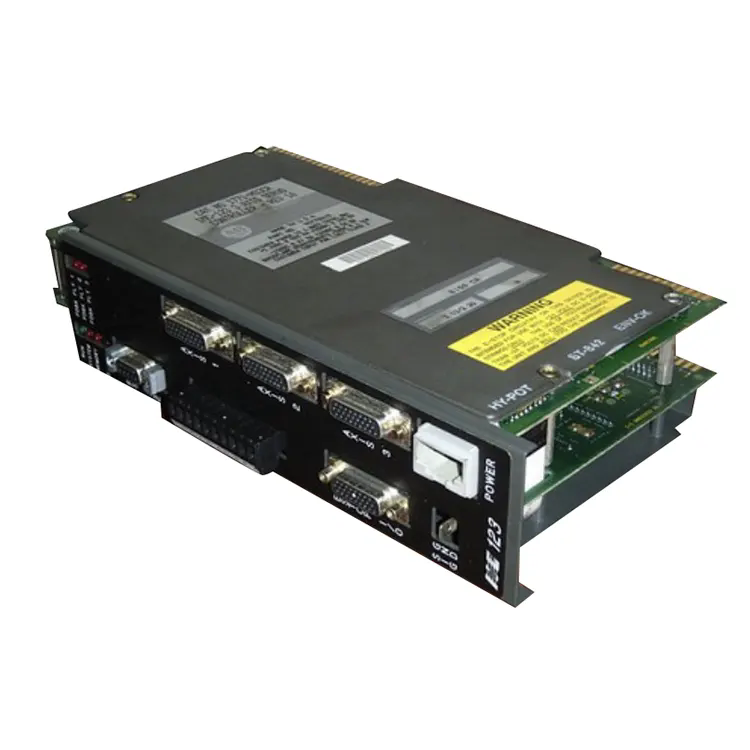

Summary: The Allen Bradley 2711P-T7C6D1 is a powerful human-machine interface (HMI) designed to improve industrial automation efficiency. This article explores its features, benefits, installation tips, troubleshooting guidance, and how it addresses key pain points in manufacturing environments.

The Allen Bradley 2711P-T7C6D1 is a panel-based HMI designed to provide operators with real-time control over industrial processes. With its intuitive touchscreen interface, the device allows users to monitor operations, adjust settings, and respond to alerts quickly. This HMI is widely used in sectors such as manufacturing, energy, and process control due to its reliability and user-friendly design.
Key customer pain points addressed include:
The Allen Bradley 2711P-T7C6D1 comes equipped with features that cater to modern industrial automation requirements:
| Feature | Description |
|---|---|
| Display | 7-inch color touchscreen with high-resolution graphics |
| Communication Ports | EtherNet/IP, USB, serial connectivity for versatile integration |
| Programming Compatibility | Supports Rockwell Automation FactoryTalk View Studio |
| Durability | IP66/NEMA 4X rated for harsh industrial environments |
| Power Supply | 24V DC with low power consumption |
Installing the Allen Bradley 2711P-T7C6D1 requires careful planning to ensure optimal performance:
Pro tip: Document all network and configuration settings to simplify future troubleshooting and upgrades.
Even the most reliable HMIs can encounter challenges. Common problems and solutions for the 2711P-T7C6D1 include:
| Issue | Possible Cause | Solution |
|---|---|---|
| Touchscreen unresponsive | Dirty screen or calibration error | Clean the screen and recalibrate via software |
| No communication with PLC | Incorrect IP or network configuration | Verify Ethernet/IP settings and reboot both devices |
| Display flickering | Power instability | Check voltage supply and ensure stable connections |
Maintaining the Allen Bradley 2711P-T7C6D1 ensures consistent performance:
Q1: Can this HMI integrate with non-Allen Bradley PLCs?
A1: Yes, with proper Ethernet/IP or OPC server configurations, it can communicate with other brands.
Q2: What is the typical lifespan of the 2711P-T7C6D1?
A2: With proper maintenance, it can last over 10 years in industrial environments.
Q3: Is remote monitoring possible?
A3: Yes, using FactoryTalk View ME Station, operators can monitor the system remotely.
The Allen Bradley 2711P-T7C6D1 offers a versatile and durable solution for industrial operators who demand reliability, ease of use, and seamless integration. By addressing common customer pain points, it improves efficiency, reduces downtime, and enhances control over complex processes.
For more information and to explore purchase options, visit Feimu’s product page or contact us directly to discuss your industrial automation needs.