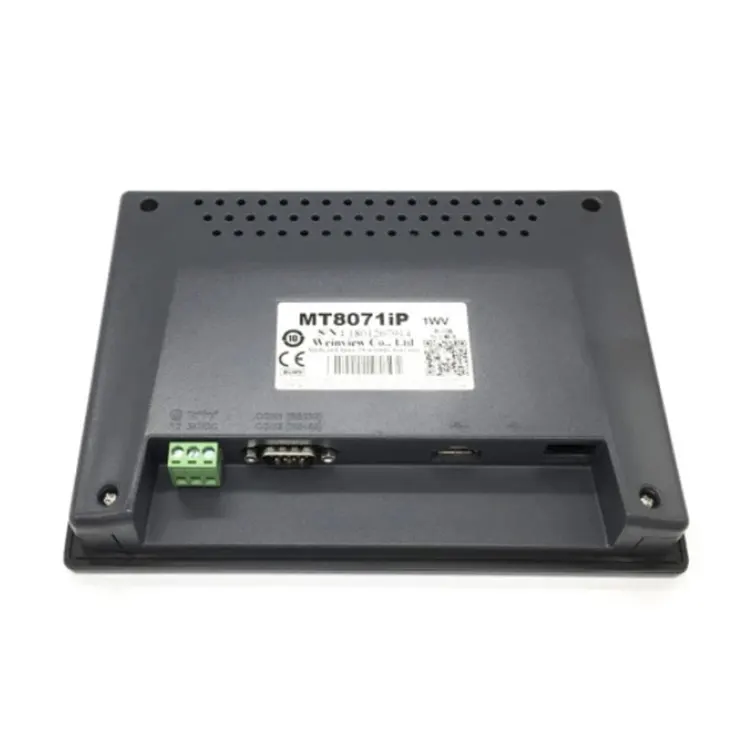

Allen Bradley 2711P-T6C20D is a compact industrial human-machine interface designed for operators who need direct access to machine status, process parameters, and control functions. Feimu Technology supplies this PanelView Plus 600 terminal for industrial automation applications where dependable operator interaction, compact panel mounting, and established Allen-Bradley integration are important considerations.
The Allen Bradley 2711P-T6C20D is a PanelView Plus 600 operator interface featuring a 5.7-inch color display, 640 × 480 resolution, touchscreen and keypad operation, and serial communication capabilities. Its compact format makes it suitable for control cabinets where installation space is limited. This article explains its key specifications, communication functions, application scenarios, installation considerations, maintenance practices, and purchasing points to help automation engineers and maintenance teams evaluate the terminal more efficiently.
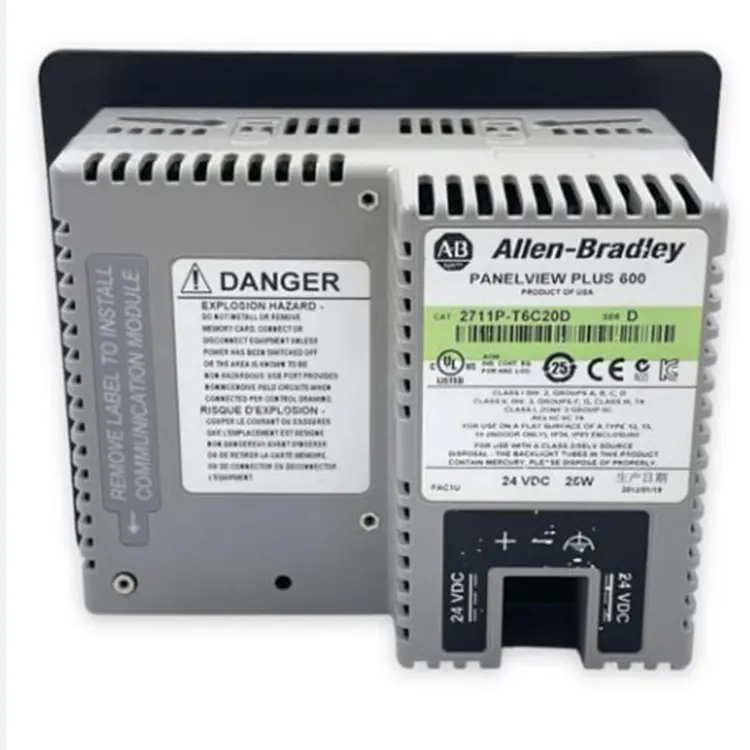
Table of Contents
1. What Is Allen Bradley 2711P-T6C20D?
2. Key Technical Specifications
3. Why Is This HMI Suitable for Industrial Control?
5. How Does Its Communication System Work?
6. What Should Buyers Check Before Purchasing?
7. Maintenance and Operating Recommendations
What Is Allen Bradley 2711P-T6C20D?
The Allen Bradley 2711P-T6C20D belongs to the PanelView Plus 600 family of industrial operator terminals. It combines a color TFT display with touchscreen and keypad input, allowing operators to monitor equipment conditions and interact with control applications directly from the machine panel.
Its 5.7-inch display and panel-mount construction provide a practical solution for applications where a large HMI is unnecessary or where control-cabinet space is restricted. The model is also designed around industrial automation workflows rather than general-purpose computing, making the interface appropriate for machine monitoring and parameter-setting tasks.
According to available product information, the terminal supports FactoryTalk View Machine Edition software and provides DH-485 and RS-232 communication interfaces. These characteristics make it particularly relevant to existing automation installations that use compatible Allen-Bradley controllers and serial communication architectures.
What Are the Key Technical Specifications?
Understanding the specifications is essential before replacing an existing HMI or designing a new control panel. The following table summarizes the main parameters provided for this model.
| Parameter | Specification |
|---|---|
| Product Series | PanelView Plus 600 |
| Display | 5.7-inch Color TFT |
| Resolution | 640 × 480 VGA |
| Input Method | Touchscreen + Keypad |
| Function Keys | 20 function keys |
| Communication | DH-485 and RS-232 |
| Power Supply | 18–32 V DC |
| Maximum Power Consumption | 30 W |
| Programming Software | FactoryTalk View Machine Edition |
| Mounting | Panel Mount |
| Operating Temperature | 0°C to 55°C |
| Storage Temperature | -40°C to 85°C |
Rockwell Automation documentation for the broader PanelView Plus 6 family also identifies the 600-series touch terminal as a compact panel-mounted device, with a touch cutout of approximately 123 × 156 mm and a built-in depth of 68 mm. Always verify the exact catalog configuration and current technical documentation before engineering a replacement or retrofit.
Why Is This HMI Suitable for Industrial Control?
Compact Installation for Space-Limited Cabinets
One of the practical benefits of a 5.7-inch terminal is its relatively small footprint. In compact machinery, production equipment, and retrofit control cabinets, engineers may not have enough space for a large-format HMI. A smaller operator interface can provide the necessary monitoring and control functions without requiring substantial cabinet redesign.
Dual Operator Input
The combination of touchscreen and physical keys provides flexibility during operation. Touch interaction can be used for graphical screens and parameter selection, while physical function keys can provide direct access to frequently used commands.
- Direct access to frequently used operating functions
- Graphical process monitoring through the color display
- Suitable for parameter-setting interfaces
- Practical for industrial operator stations
Established Industrial Communication
DH-485 and RS-232 interfaces can be useful in existing automation systems that rely on serial communication. This is particularly important for maintenance projects where replacing an HMI should not require unnecessary changes to the surrounding PLC or control architecture.
Where Can It Be Used?
The terminal can be considered for a range of industrial automation environments where operators need a local interface for machine status and control parameters. Typical applications include:
- Production and assembly machinery
- Food and beverage processing equipment
- Water treatment systems
- Packaging and material-handling equipment
- Automotive production lines
- Industrial control cabinets
- Machine retrofit projects
- Legacy HMI replacement applications
For example, a compact production machine may use the HMI to display operating status, alarms, process values, and equipment parameters. Operators can then interact with the machine locally instead of depending on a separate computer terminal.
For retrofit projects, however, application compatibility should be checked carefully. The controller protocol, existing application file, communication configuration, firmware, electrical requirements, and panel cutout should all be reviewed before procurement.
How Does Its Communication System Work?
Communication compatibility is one of the most important factors when selecting an industrial HMI. The 2711P-T6C20D configuration is associated with DH-485 and RS-232 communication, allowing it to work within suitable legacy control architectures.
DH-485 Communication
DH-485 was widely used for communication between compatible Allen-Bradley controllers and operator interfaces. In an existing system, engineers should confirm the controller model, node addressing, communication parameters, cable requirements, and network topology before connecting the HMI.
RS-232 Communication
RS-232 provides a point-to-point serial communication method that can be useful for configuration, programming, or communication with compatible external devices. The actual communication settings should be determined from the specific application and connected equipment.
FactoryTalk View ME Integration
FactoryTalk View Machine Edition is an important part of the PanelView Plus ecosystem. Application developers can create operator screens, alarms, tags, navigation structures, and control interfaces for supported terminals. Before transferring an existing application, engineers should verify software versions and compatibility rather than assuming that every FactoryTalk project can be transferred without modification.
What Should Buyers Check Before Purchasing?
Industrial automation components require more than a simple model-number match. A proper purchasing evaluation should consider both technical compatibility and supply condition.
1. Confirm the Exact Catalog Number
PanelView Plus terminals can have similar model numbers while differing in display size, communication interfaces, input configuration, or other characteristics. Confirm the complete catalog number against the existing nameplate and application documentation.
2. Verify Electrical Compatibility
Check the required DC input range, power consumption, grounding arrangement, and cabinet power supply. A replacement should be electrically compatible with the existing control system.
3. Check Mechanical Dimensions
Panel cutout dimensions and mounting depth are especially important for retrofit applications. A terminal may be electrically compatible but still require cabinet modification if its physical dimensions differ from the existing unit.
4. Verify Communication Requirements
Confirm whether the application depends on DH-485, RS-232, or another communication architecture. Communication hardware alone does not guarantee application compatibility; software and controller configuration must also be considered.
5. Evaluate Product Condition and Traceability
When sourcing legacy automation equipment, buyers should clarify whether the unit is new, refurbished, used, or supplied in original packaging. Serial numbers, labels, photographs, testing procedures, and warranty terms can provide additional information for procurement decisions.
How Can Operators Maintain the Terminal?
Simple preventive maintenance can help preserve HMI usability and reduce avoidable operational problems. Recommended practices include:
- Clean the screen with a soft, dry cloth.
- Avoid sharp objects that may damage the touchscreen surface.
- Keep cabinet ventilation paths free from excessive dust.
- Inspect cables and connectors during scheduled maintenance.
- Monitor unusual display, touch, or communication behavior.
- Back up important HMI application files and configuration information.
- Follow the applicable manufacturer's service documentation for battery replacement and other internal maintenance.
For equipment that is no longer supported or is approaching the end of its service life, maintaining a documented backup strategy is particularly useful. Keeping application files, communication settings, wiring information, and replacement-part records can make future troubleshooting considerably more efficient.
Frequently Asked Questions About Allen Bradley 2711P-T6C20D
What type of device is Allen Bradley 2711P-T6C20D?
It is an industrial operator interface from the PanelView Plus 600 family. It provides a local display and input interface for monitoring and interacting with compatible automation equipment.
What is the display size of this model?
The model is specified with a 5.7-inch color TFT display and 640 × 480 VGA resolution in the product information reviewed for this article.
Does it support touchscreen operation?
Yes. The configuration uses touchscreen input together with physical keypad/function-key operation, allowing operators to use both graphical and physical controls.
Which communication interfaces are associated with this model?
The Feimu product information identifies DH-485 and RS-232 communication. Buyers should verify the exact hardware configuration against the nameplate and applicable technical documentation before installation.
What software is used to program the terminal?
The product information identifies FactoryTalk View Machine Edition as the programming environment. Software-version compatibility should be checked when migrating an existing application.
Is this model suitable for retrofit projects?
It can be considered for suitable retrofit applications, particularly where the existing system already uses compatible PanelView and Allen-Bradley communication architecture. Engineers should verify electrical, mechanical, communication, firmware, and software compatibility before replacement.
Conclusion: How Should You Evaluate This Industrial HMI?
The Allen Bradley 2711P-T6C20D combines a compact 5.7-inch operator interface, touchscreen and keypad input, industrial communication capabilities, and compatibility with the PanelView Plus ecosystem. Its compact format can be useful for machine control panels, legacy-system maintenance, and retrofit applications where cabinet space and existing communication architecture are important considerations.
For procurement, the most important steps are to confirm the complete catalog number, technical specifications, physical dimensions, communication requirements, software compatibility, and product condition. Feimu Technology provides product information and sourcing support for customers evaluating industrial automation components. If you are checking availability, compatibility, pricing, or replacement options for your automation project, contact us to discuss your requirements and receive product details and purchasing assistance.