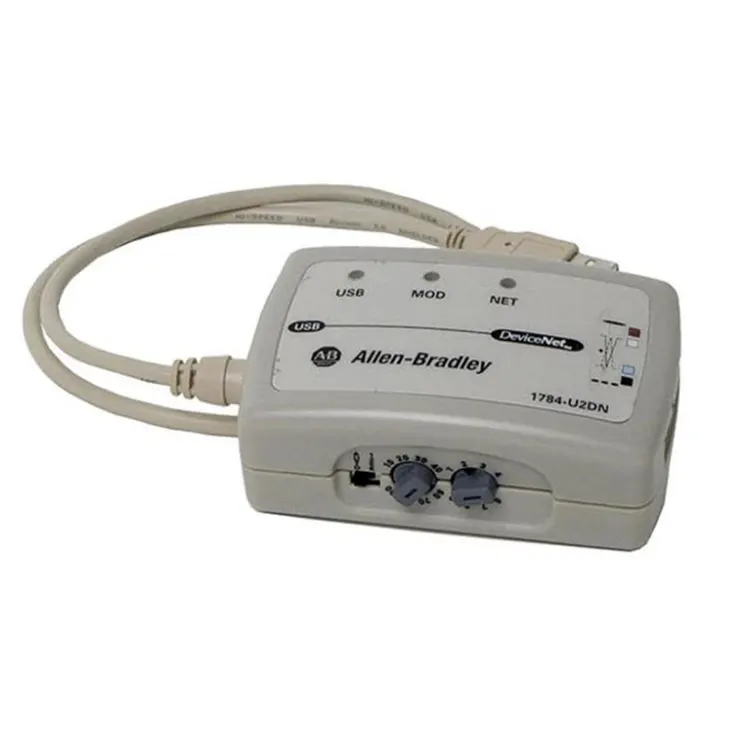
Allen Bradley 1784 U2DN comes with three-stage speed switching toggle switch, three-color communication status indicator lights, stable long-distance transmission, built-in isolation circuit to resist workshop electromagnetic interference, and is equipped with RSNetWorx software for one-click scanning of bus nodes, troubleshooting of disconnections and address conflicts. Counterfeit or second-hand refurbished products on the market often have problems such as packet loss, identification failure, and incomplete firmware, which delay the equipment repair progress. As a regular industrial control supplier, Feimu Technology conducts complete verification of communication rate, driver matching and bus read-write functions before shipment, eliminating faulty goods from circulation and ensuring efficient and smooth on-site debugging.
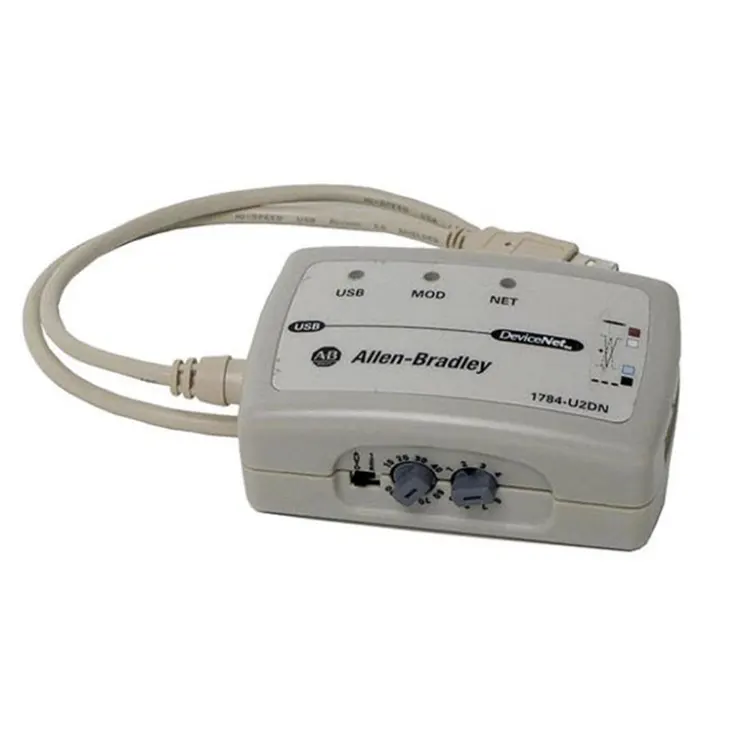
Before using Allen Bradley 1784 U2DN, it is necessary to install the correct RSLinx communication driver.
The DeviceNet network must provide a 24V DC network power supply that meets the requirements.
Check the DeviceNet network node address (MAC ID) to avoid address conflicts.
It is recommended to back up the device parameters before making online modifications.
Long-distance DeviceNet networks require confirmation of the baud rate, cable length, and terminal resistor configuration.
USB plug-and-play: Compared to traditional PCI DeviceNet communication cards, installation is much more convenient.
Portable: Suitable for engineers' on-site debugging and maintenance.
Good compatibility: Supports the Rockwell DeviceNet software ecosystem.
Strong diagnostic capabilities: Can directly access the status of on-site DeviceNet nodes.
Reduces maintenance costs: No need to open the control cabinet to install communication hardware.
|
Parameters |
Specifications |
|
PC Interface |
USB Interface |
|
Network Interface |
DeviceNet (5-Pin Open Phoenix Connector) |
|
Supported Protocol |
DeviceNet |
|
Communication Network |
CAN-Based DeviceNet Network |
|
Port Quantity |
1 × USB + 1 × DeviceNet |
|
Power Supply Method |
USB Power Supply + DeviceNet Network Power Supply |
|
USB Power Supply |
5V DC, Approx. 75 mA |
|
DeviceNet Power Supply |
24V DC, Approx. 70 mA |
|
Power Consumption |
Approx. 0.5 W |
|
Maximum Communication Distance |
Up to 500 m (Depending on DeviceNet Baud Rate) |
|
Enclosure Protection Rating |
IP30 |
|
Isolation Voltage |
30V Continuous Isolation; 500V AC (60s Test) |
|
Weight |
Approx. 0.11 kg |
|
Software Support |
RSLinx Classic, RSNetWorx for DeviceNet |
Allen Bradley 1784 U2DN does not require an independent power source.
Power supply source:
USB port: 5V DC
DeviceNet network port: 24V DC
Usually, the DeviceNet standard rate is supported: 125 kbps
250 kbps
500 kbps
It is necessary to maintain the same network rate as the on-site DeviceNet, otherwise communication cannot be carried out normally.
Possible reasons:
USB driver not installed
RSLinx version not supported
USB connection abnormal
Adapter failure
Processing steps:
Check if the device is recognized by the Windows Device Manager
Confirm that the DeviceNet driver has been added in RSLinx
Replace the USB interface for testing
Reinstall the Rockwell communication driver
Recommended:
Confirm the DeviceNet network voltage of 24 v DC
Make sure the node address only
Back up device parameters before connecting
Avoid plugging and unplugging network cables with power
Keep EDS files
Use reliable USB cable
Appearance check:
Check model, nameplate, serial number is correct.
Verify that the enclosure, USB interface, and DeviceNet interface are not damaged.
Electric test:
Connect USB to your computer and make sure the device is identifiable.
Check the status of the LED indicator is normal.
Software connection testing
Communication was detected using RSLinx Classic/RSNetWorx for DeviceNet.
Confirm the adapter driver normal load.
DeviceNet communications test:
Connect DeviceNet network and 24 v power supply.
Scan the network node to confirm that the device can communicate normally.
Stability Test:
Continuous running test, make sure no drops, alarm or communication interrupt.
The DeviceNet debugging adapter is an essential tool for equipment maintenance and production line renovation. Inferior Allen Bradley 1784 U2DN will significantly prolong the downtime for troubleshooting. Feimu Technology, as a professional and reliable company, offers original, brand-new, in-stock products that are always available. The delivery cycle is short, and it provides simple technical guidance for driver installation and bus networking. It offers a one-stop solution for the procurement needs of DeviceNet network debugging accessories.
Email: sales@feimutech.com
WhatsApp: +86 13358323579
Official website: www.feimuplc.com
Response time: Reply within 24 hours. Technical issues are usually addressed within 12 hours.
Address
No. 26, Yuhu Street, Encheng Subdistrict, Enping City, Jiangmen City, Guangdong Province, China
Tel