Products
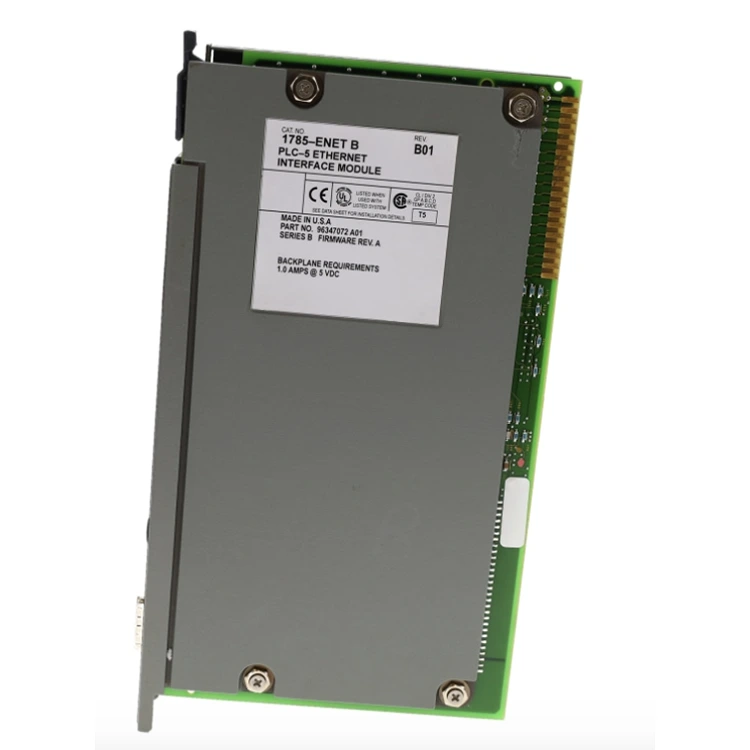
Allen Bradley 1785-ENET

Allen Bradley 1785-ENET

Feimu Technology, as a professional supplier, would like to offer you this Allen Bradley 1785-ENET. This is an Ethernet interface module specifically designed for the PLC-5 series processors. It enables your old equipment to seamlessly connect to DH+ or directly perform programming and data transmission via Ethernet. If you need any information, please feel free to come and inquire.

Feimu Technology has recently introduced an old model of industrial control equipment to the overseas industrial automation community - the Allen Bradley 1785-ENET communication module. As a professional supplier, we understand that this old model remains a critical component in many factories still running PLC-5 systems. We know that many overseas customers are still maintaining these outdated production lines and do not want to spend a large amount of money to replace them completely. Therefore, we have specially stocked this module to help you connect those old devices to the internet and keep them running at the lowest cost.


Product Details


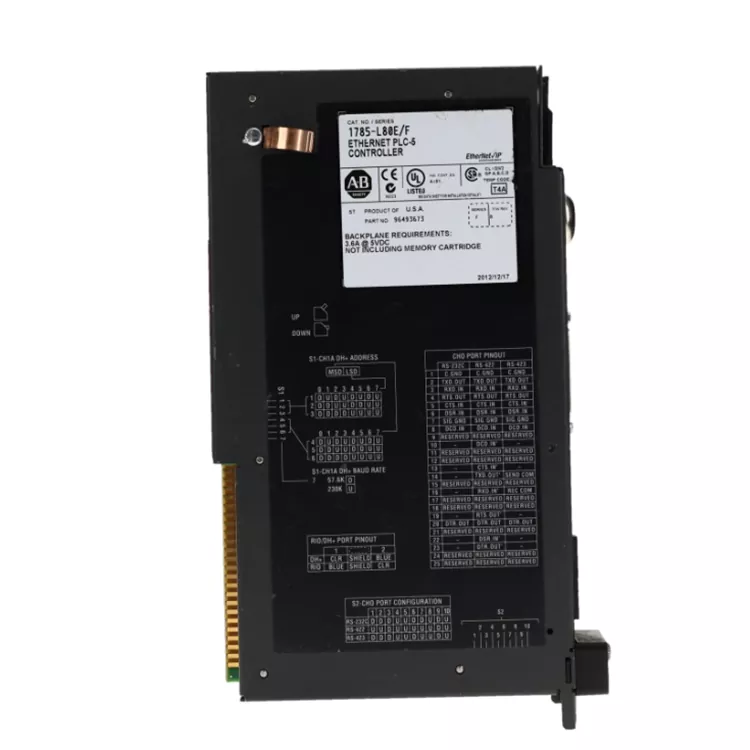
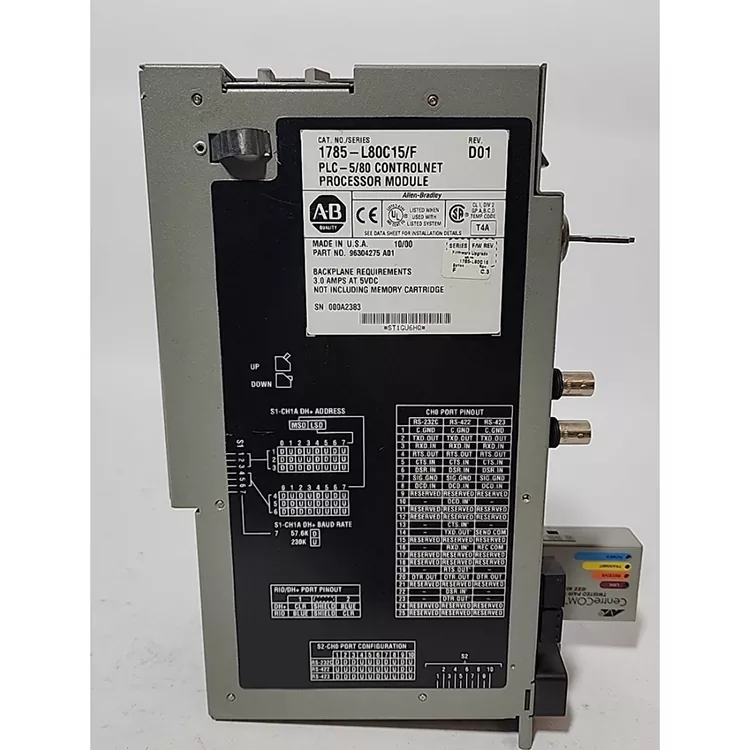
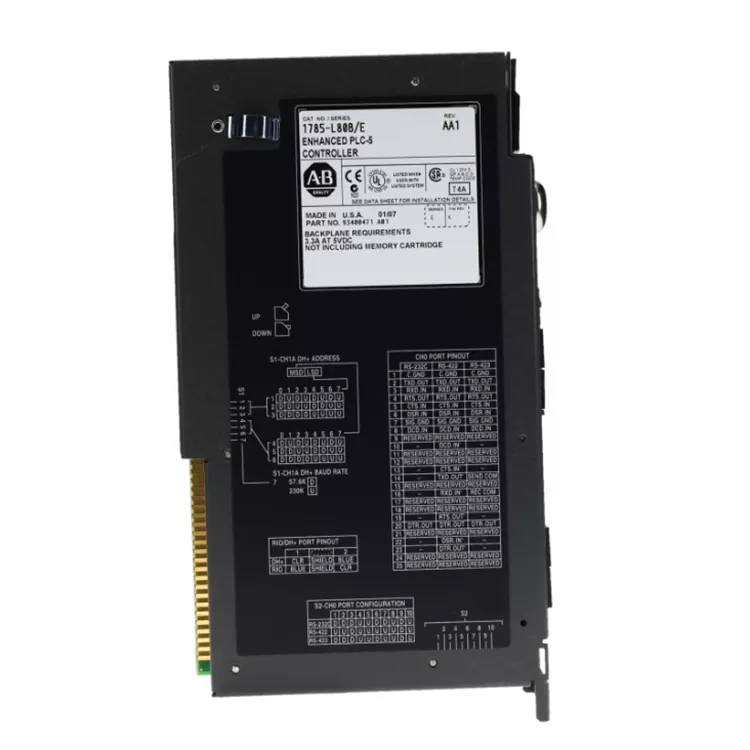
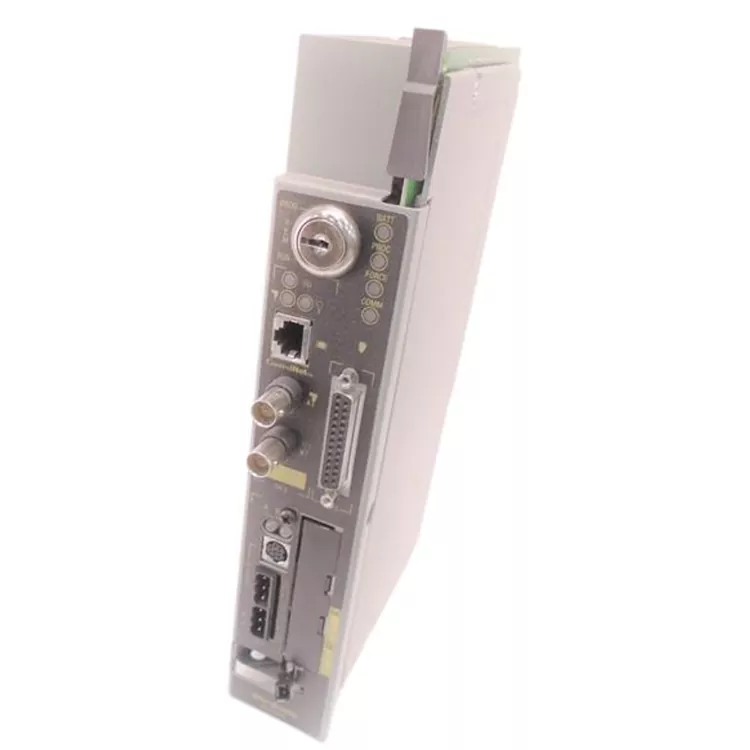
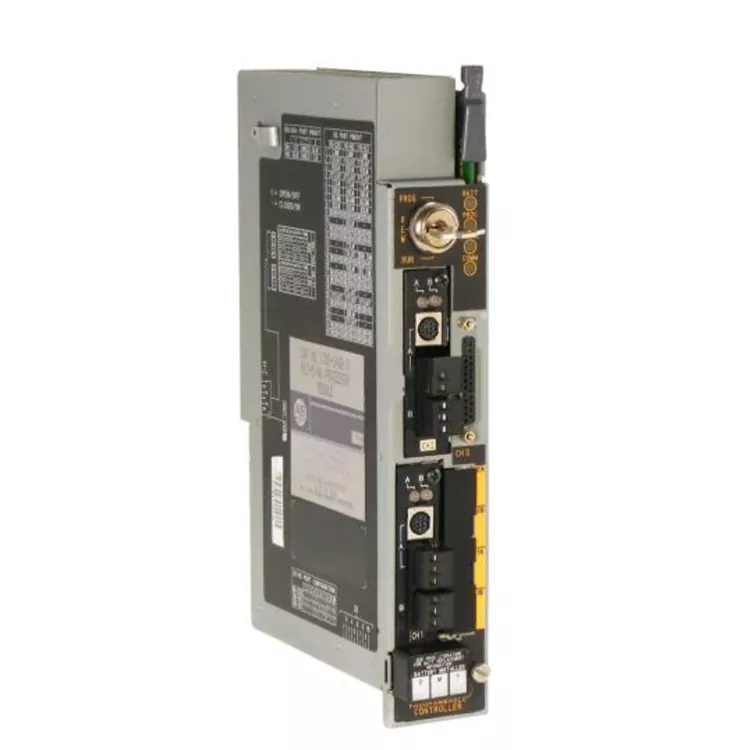
The Allen Bradley 1785-ENET is a single-slot Ethernet communication module for the PLC-5 chassis. The front panel is made of metal, which serves as both a heat sink and a protective shield. Three LED indicators on the panel show power, link status, and communication activity. The RJ45 port is located at the bottom of the front panel. The backplane connector has gold-plated pins for reliable contact. The module draws 1.5A from the 5V backplane power supply.


Product Parameter


Product Name

Allen Bradley 1785-ENET

Product Type

Ethernet Communication Module

Compatible Series

PLC-5 Programmable Controllers

Communication Protocol

EtherNet/IP (via 1771 Backplane)

Interface Type

10Base-T (RJ45) or AUI (Version Dependent)

Data Transfer Rate

10/100 Mbps

Operating Temperature

0°C to 60°C (32°F to 140°F)

Certifications

UL, CE


Product Structure


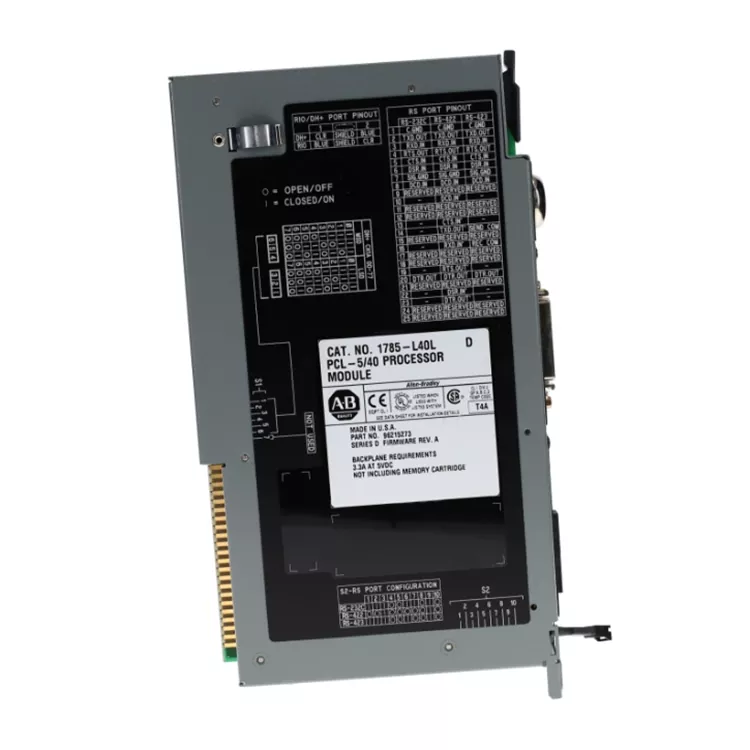
This Allen Bradley 1785-ENET is a standard PLC-5 programmable controller card structure. The front is a metal heat-conducting panel, on which several status indicator lights and network interface ports are locked. The back panel is that row of densely arranged gold-plated pins. This is the key part and must be shiny gold without any oxidation, otherwise poor contact when inserted would cause trouble. Inside, complex Ethernet processing chips and transformer circuits are integrated, all encapsulated in a sturdy metal casing. This is done for both heat dissipation and to prevent electromagnetic interference, which are essential skills for industrial environments.


Compatibility and Revision Differences

The 1785-ENET has several revisions. Each revision has different capabilities. Use this table to select the correct model for your system.

Revision Interface Speed Supported PLC-5 Processors
1785-ENET (Original) AUI 10 Mbps All PLC-5 processors
1785-ENET/A RJ45 (10Base-T) 10 Mbps All PLC-5 processors
1785-ENET/B RJ45 (10/100Base-TX) 10/100 Mbps PLC-5 processors with firmware version 3.0 or higher

Important compatibility notes:

  • The original 1785-ENET (AUI version) requires an external AUI to RJ45 transceiver. The transceiver is not included. Make sure you have one before installation.
  • The 1785-ENET/A and /B versions use a standard RJ45 connector. No external transceiver is needed.
  • For PLC-5 processors with firmware below version 3.0, use the original 1785-ENET or /A revision. The /B revision may not communicate correctly with older firmware.
  • Check your processor firmware before ordering. This information is available in RSLogix 5 or from the processor label.

Configuration and IP Address Setup

Configuring the 1785-ENET requires the correct IP address and subnet mask. Follow these steps to set up the module.

Methods for IP assignment:

  • BOOTP server: Recommended method. The module requests an IP address from a BOOTP server on the network.
  • DHCP server: Some revisions support DHCP. Check the revision table above.
  • RSLogix 5 direct: IP address can be configured through RSLogix 5 software after the module is recognized.

Configuration steps using BOOTP:

  1. Install the module in the PLC-5 chassis. Any slot except slot 0.
  2. Connect the Ethernet cable to the module.
  3. Power up the chassis. The module powers on.
  4. Run the BOOTP server software on a PC on the same network.
  5. The module sends a BOOTP request when powered on.
  6. The BOOTP server detects the module by its MAC address.
  7. Assign an IP address, subnet mask, and gateway address in the BOOTP server.
  8. The module receives the assignment. It stores the IP address in memory.
  9. Verify the IP address by pinging the module from the PC.

Common configuration issues:

  • Module not detected by BOOTP server: Check that the Ethernet cable is connected. Check that the PC and module are on the same physical network. Check that the module is powered and in RUN mode.
  • IP address lost after power cycle: The module stores the IP address in volatile memory. Some revisions need a specific command to save the address. Use the RSLogix 5 configuration to save the address permanently.
  • Module not visible in RSLinx: Check that the IP address is correct. Check that the subnet mask allows communication. Add the module manually to the RSLinx browse list.

Network Connection Example – PLC-5 to Modern HMI

This example shows how the 1785-ENET connects a legacy PLC-5 system to a modern HMI.

System configuration:

  • PLC-5 processor (1785-L20E or similar)
  • 1785-ENET communication module
  • Ethernet switch (managed or unmanaged)
  • Modern HMI (PanelView Plus or PC-based HMI)

Connection steps:

  1. Install 1785-ENET in the PLC-5 chassis. Use an empty slot.
  2. Connect the Ethernet cable from the 1785-ENET to the network switch.
  3. Assign an IP address using BOOTP or RSLogix 5.
  4. Confirm communication by pinging the module.
  5. In RSLinx, add the module by IP address. The PLC-5 controller appears in the browse list.
  6. Open the HMI software (FactoryTalk View or similar).
  7. Add a new communication driver. Select EtherNet/IP.
  8. Enter the IP address of the 1785-ENET.
  9. The HMI now accesses data from the PLC-5 through the 1785-ENET.

Real-world scenario: A food processing plant had a PLC-5 system controlling a packaging line. The original HMI failed. The replacement HMI used Ethernet only. The plant installed a 1785-ENET module. The new HMI communicated with the PLC-5 over Ethernet. The line continued operation without a costly PLC upgrade. The module paid for itself in one month compared to the cost of replacing the entire PLC system.

LED Status Indicators and Troubleshooting

The 1785-ENET has three main LEDs on the front panel. Each LED indicates a specific status.

LED Status Meaning Action
PWR Green Power is present. Module is operating normally. No action needed.
PWR Off No power to the module. Check chassis power. Check that module is inserted.
PWR Flashing Module is in setup mode. No IP address assigned. Assign an IP address using BOOTP.
LINK Green Ethernet cable is connected. Link is active. No action needed.
LINK Off No Ethernet cable connected or link is down. Check cable connection. Check switch/power.
STATUS Green Communication is active. Data is being transmitted. No action needed.
STATUS Off No communication activity. Check network configuration. Check PLC program.
STATUS Red Communication error or module fault. Cycle power. If fault remains, module may need replacement.

Product Authenticity Verification

Allen Bradley 1785-ENET modules are legacy components. Counterfeit versions exist. Use these checks to verify authenticity.

  • Front panel color: Genuine modules have a specific beige-gray color consistent with PLC-5 family. Counterfeits often have a different shade or glossy finish.
  • Label quality: Genuine labels have permanent printing with clear model number 1785-ENET. Counterfeit labels often have blurry text or peel at edges.
  • RJ45 port quality: Genuine modules have a metal-shielded RJ45 port. Counterfeits often use plastic ports or unshielded ports.
  • Backplane connector: All pins on the backplane must be gold-plated and straight. Counterfeits often use tin pins or have bent pins.
  • Module weight: Genuine 1785-ENET weighs approximately 0.4 kg. The metal housing and transformer give it weight. Counterfeits feel lighter.
  • Firmware sticker: Genuine modules have a small sticker showing firmware version. Counterfeits often lack this sticker.

If the module does not communicate even after correct IP assignment, suspect a counterfeit. Contact Feimu Technology with photos for verification.

About Feimu Technology

Feimu Technology operates from Jiangmen City, Guangdong Province, China. The company was founded in 2005 and has supplied automation components to customers in over 30 countries.

  • Years in operation: 20 years as of 2025.
  • Warehouse: 2000+ square meters. Temperature controlled. Humidity maintained below 60%.
  • Inventory: 5000+ active SKUs. Includes PLC-5 communication modules, processors, I/O modules, and power supplies.
  • Brands carried: Allen Bradley, Siemens, GE, Schneider.
  • Export markets: Europe, North America, South America, Middle East, Southeast Asia. Over 30 countries.
  • Testing for 1785-ENET: Each module is visually inspected. Backplane pins checked. Powered on in PLC-5 test chassis. LED functions verified. Ethernet port tested with ping to a PC. Configuration tested with BOOTP and RSLogix 5.
  • Warranty: 12 months from shipment date. Covers manufacturing defects. Does not cover overvoltage damage, physical damage, or improper installation.

Contact information:
Email: sales@feimutech.com
WhatsApp: +86 13358323579
Website: www.feimuplc.com
Response time: Within 24 hours. Technical questions typically answered within 12 hours. Include module serial number and PLC-5 processor model when contacting.

Hot Tags: Allen Bradley 1785-ENET, China, Supplier
Related Category
Send Inquiry
Contact Info
Feimu Technology, as a professional supplier, will respond to your inquiry quickly, provide competitive price quotes, in-stock information and product details.
X
We use cookies to offer you a better browsing experience, analyze site traffic and personalize content. By using this site, you agree to our use of cookies.Privacy Policy
RejectAccept